Create a Project
This page shows you how to create a new project.
A project is the basic workspace where you manage data and run workflows.
Prerequisites
- You must be signed in with an AI Data Foundry account.
- If you are not signed in, click Sign In in the top right of the screen.
Step-by-Step
In the top menu, click Projects.
Click Create Project.
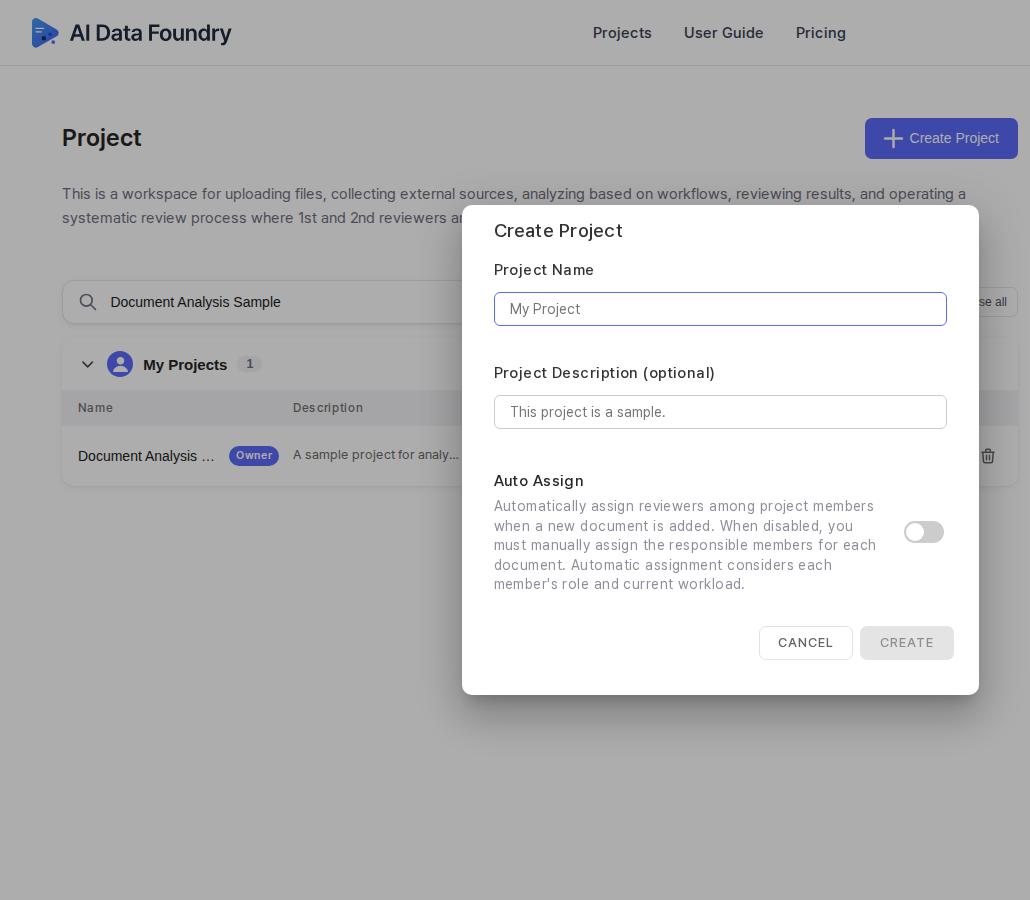
Enter a Project Name. Optionally enter a Project Description (optional). You can change the name and description later.
(Optional) Configure Auto Assign.
- When on, a reviewer is automatically assigned whenever a new document is added, taking current workload into account.
- When off, you must assign the responsible member for each document.
Click Create to create the project.
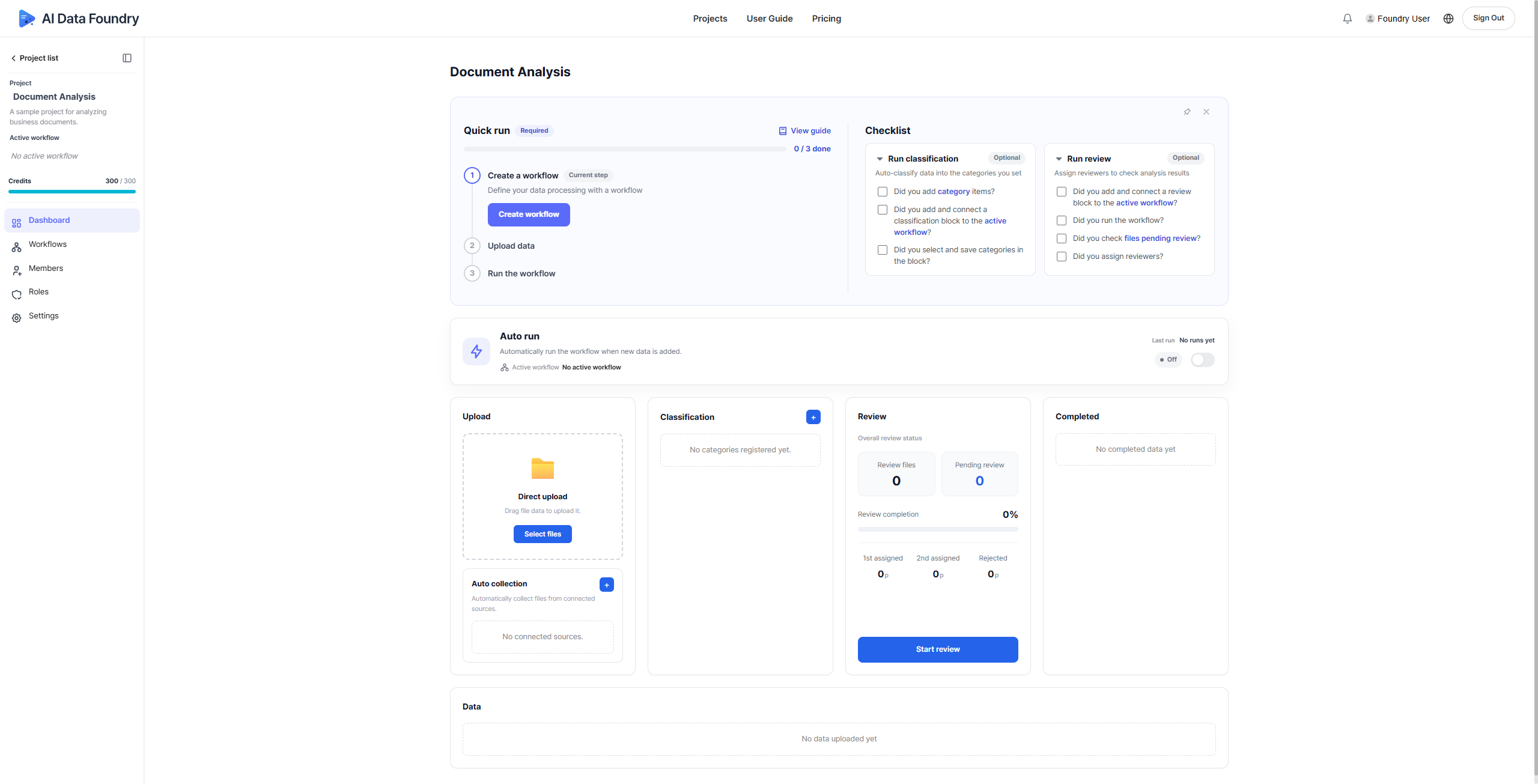
Click the project you created to open its dashboard.
Next Step
- Create a Workflow →: Add a workflow to your project.