Workflow Overview
A workflow processes the data in your project through five stages, in order: Input → Analyze → Classify → Review → Result. Each stage picks up the previous stage's output and hands it to the next, and the project's left sidebar Workflows menu shows this exact sequence as a navigable screen.
The Five-Stage Pipeline
- Input — Upload files to analyze, or bring them in automatically from an external source.
- Direct upload: Upload Files and Run
- Automatic ingestion from external sources: Ingestion Overview
- Analyze — Extracts structure such as text and layout from the uploaded files. See Review Analysis Results for the screen layout.
- Classify — Automatically sorts the analyzed content into the categories you've defined. See Classify Documents for details.
- Review — Lets a person check and correct the classification/analysis results. See Review Documents for details.
- Result — View and export the fully processed data. See Export Results for details.
Classify and Review are optional stages. If a workflow doesn't include a Classify or Review block, those stages are skipped and the analysis results go straight to Result.
Where to find it on screen
Click the Workflows menu in the left sidebar to open the pipeline stage bar at the top of the screen (Input → Analyze → Classify → Review → Result). Click any stage card to jump straight to its screen.
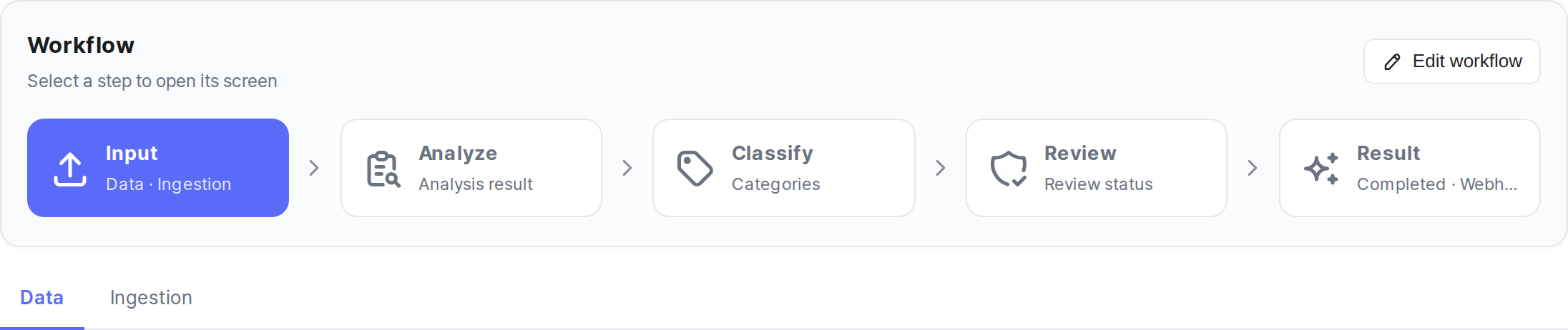
- Input card — opens the Data / Ingestion screens
- Analyze card — opens the Analyzed Files screen
- Classify card — opens the Categories screen. If the workflow has no Classify block, the card shows a Not included badge.
- Review card — opens the Review screen. The same Not included badge applies when there's no Review block.
- Result card — opens the Result screen
Creating and editing a workflow
To create a new workflow or change which blocks it includes, see Create a Workflow. This page focuses on how an existing workflow's stages appear on screen.
Next Step
- Review Analysis Results →: How to check the list and status of files that have finished analysis.