Quickstart
This page shows first-time users of AI Data Foundry how to see their first result in about 5 minutes.
When you enter a project, follow the Quick run card you see first: create a workflow → upload data → run the workflow. You can get your first result with just a browser.
Prerequisites
- An AI Data Foundry account (new sign-ups receive 300 credits for free)
- A project to work in — if you don't have one yet, create it first with Create a Project.
- A document file you want to analyze (HWP, DOCX, PDF, images, etc. — see Supported Formats)
If you don't have an account yet, sign up with the Sign Up button in the top right corner of the screen.
Using Quick run
The Quick run card is on the project dashboard. It walks you through the three steps you need to reach your first result.
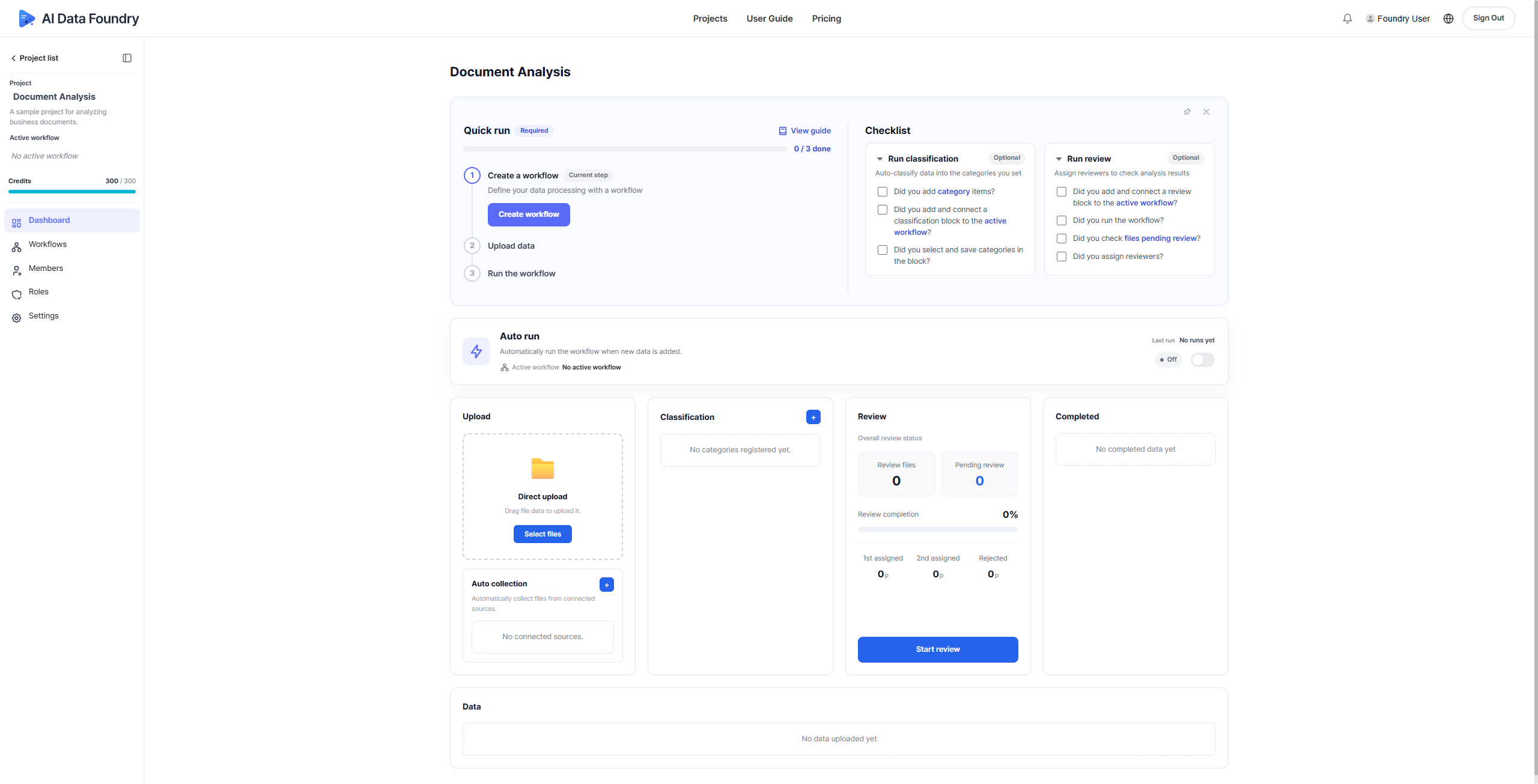
- Create a workflow — start with the Create workflow button.
- Upload data
- Run the workflow
Progress is shown as 0 / 3 done. The step you need to work on now carries a Current step badge.
Detailed instructions for each step are linked below.
How to compose a document-processing flow (workflow).
How to upload files, run a workflow, and review the results.
Running a workflow requires credits. You can purchase credits on the Pricing page.
Credits are included with your AWS Marketplace subscription. To check your subscription and billing, see AWS Subscription & Billing.
Next to the Quick run card, you'll also see a Checklist.
Run classification and Run review are optional steps — refer to them whenever you need to set up categorization or review.
Reference
- Create a Project →: Create a project and save its basic settings.
- Supported Formats →: The full list of file formats you can upload.